

Wootrack Growth Blog
Google Ads Profit Optimization for WooCommerce Stores
Key takeaways
- A product with 400% ROAS can still lose money after COGS, shipping fees, payment processing, and VAT – Google never sees any of that.
- Google’s Smart Bidding optimizes for whatever conversion value you send it. Send revenue, it chases revenue. Send profit, it chases profit.
- POAS (Profit on Ad Spend) replaces ROAS as your bidding signal. 100% POAS means break-even. Anything above that is real money in your pocket.
- WootrackApp calculates true per-order profit and sends it to Google Ads as an offline conversion value – no developer needed.
- Products get labeled A (winner), C (borderline), or X (loser) based on POAS, and your campaigns adjust automatically.
Why Google Ads Is Probably Scaling Your Least Profitable Products
Here is the thing most WooCommerce store owners never realize until it is too late: Google Ads has no idea what your products actually cost you. It sees revenue. It sees clicks. It sees conversions. But your COGS, your Stripe fees, your shipping costs, your VAT obligations – Google is completely blind to all of it.
So when Google’s AI decides which products to push harder, it picks the ones generating the most revenue per ad dollar. That sounds logical. But it is not the same as picking the most profitable products. Not even close.
Take a concrete example. You sell two products. Product A sells for €200, costs you €140 to source, ship, and process – leaving €60 gross profit. Product B sells for €80, costs you €20 all-in – leaving €60 gross profit too. Same absolute profit. But Product A has a much higher revenue, so Google’s ROAS-based bidding will favor it. You end up spending more to acquire sales that are no more profitable than the cheaper product.
Now make it worse. Add a product with 450% ROAS – looks incredible on paper. But if that product has a 70% COGS ratio, a 3% Stripe fee, €8 shipping, and you are VAT-registered in Germany, that 450% ROAS might translate to a POAS of 85%. You are losing money on every sale, and Google is actively scaling it.
The Audit That Changes Everything
Before you fix anything, you need to see the real numbers. Pull your top 20 products by ad spend from Google Ads. Then, for each one, calculate: selling price minus COGS, minus shipping cost, minus payment processing fee (typically 1.5-3% for Stripe or PayPal, higher for Klarna), minus VAT if applicable. What is left is your true gross profit per unit.
Now divide that by your cost per conversion from Google Ads. That ratio is your POAS. If it is below 100%, you are losing money on that product’s ad spend. If it is between 100% and 130%, you are barely surviving. Above 150% is where scaling starts to make sense.
Most store owners who do this audit for the first time find at least two or three products that are actively destroying profit while appearing healthy in Google Ads. That is the red flag this whole process is designed to catch.
How to Make Google Ads Optimize for Profit on WooCommerce
- 1
Calculate True Profit Per Order
Stop using revenue as your proxy for profit. For every order, you need: order revenue minus COGS (pulled from WooCommerce product cost fields), minus actual shipping cost, minus payment gateway fees (Stripe, PayPal, Klarna – each has different rates), minus VAT where applicable. WootrackApp pulls all of this automatically from your WooCommerce store and calculates a single profit figure per order.
- 2
Send Profit as Your Conversion Value to Google Ads
This is the mechanism that changes everything. Instead of sending Google the order revenue as your conversion value, you send the actual profit. Google’s Smart Bidding then treats profit as the thing to maximize. This works via offline conversions – you upload profit values back to Google after the order is processed and all costs are known. WootrackApp handles this upload automatically on a schedule, so Google’s AI is always working with fresh, accurate profit data.
- 3
Set Your Target POAS Instead of Target ROAS
In Google Ads, you will still use the ‘Target ROAS’ bidding strategy – but now your conversion values represent profit, not revenue. So your target effectively becomes a POAS target. If you want 150% POAS (€1.50 profit per €1 spent), you set your target accordingly. The math shifts, but the bidding mechanism is the same. Google chases the number you give it – make sure that number means profit.
- 4
Label Products by Profitability and Sync to Campaigns
Once you have per-product profit data flowing, you can segment your product catalog by POAS performance. WootrackApp uses A/C/X labels: A products are winners with strong POAS, C products are borderline and need monitoring, X products are losers that are burning budget. These labels sync directly to your Shopping and Performance Max campaigns as custom labels, so you can set different bidding strategies or exclude X products entirely.
- 5
Let Smart Bidding Compound Over Time
Google’s AI needs data to learn. Once you start feeding it profit values instead of revenue, give it 2-4 weeks to recalibrate. You will typically see it start pulling back spend on low-profit products and increasing bids on high-POAS products without you touching anything. That is the compounding effect of profit-based bidding – the longer it runs, the better it gets at finding your most profitable customers.
Red Flags That Tell You Revenue Is Masking a Profit Problem
There are specific patterns that almost always signal your Google Ads campaigns are optimizing for the wrong thing. Look for these in your own account.
First: your overall ROAS looks healthy (say, 350-500%) but your net margin has been flat or declining for months despite growing ad spend. Revenue is growing, profit is not. Classic symptom.
Second: you have one or two products that dominate your ad spend and conversion volume. Google loves concentrating budget on apparent winners. But if those products have high return rates, high shipping costs, or thin margins, they are eating your profit while inflating your ROAS.
Third: your payment processing costs are not accounted for anywhere in your bidding setup. If you are processing €50,000 per month through Stripe at 1.4% + €0.25 per transaction, that is roughly €700-900 per month in fees that Google’s bidding model has never seen. Multiply that across a year and it is a serious blind spot.
The VAT Trap for EU Stores
This one catches a lot of European WooCommerce store owners off guard. If you are VAT-registered and selling B2C, the VAT portion of your revenue is not yours – it flows straight to the tax authority. But Google Ads sees the full transaction value including VAT as your conversion value.
At 20% VAT, a €120 sale is really €100 in revenue to you. If Google is optimizing toward a €120 conversion value, it is working with inflated numbers across your entire account. Your real ROAS is 17% lower than what the dashboard shows. That gap compounds across thousands of transactions and can make the difference between a profitable account and one that is quietly bleeding.
Revenue-based bidding vs profit-based bidding: what Google Ads actually optimizes
| Revenue-Based Bidding (Standard ROAS) | Profit-Based Bidding (POAS via Offline Conversions) |
|---|---|
| Conversion value = order revenue including VAT | Conversion value = true profit after COGS, fees, VAT |
| Google scales products with highest revenue per click | Google scales products with highest profit per click |
| High-ROAS products may have negative profit margins | Bidding naturally suppresses loss-making products |
| No visibility into which products are actually profitable | Per-product POAS dashboard shows real winners and losers |
| Manual campaign adjustments based on guesswork | A/C/X labels automate budget allocation by profitability |
| VAT inflates conversion values for EU stores | VAT excluded from profit calculation – accurate signals only |
Verifying That Profit Optimization Is Actually Working
After you make the switch, you need a verification process. Do not just look at Google Ads metrics – they will still show ROAS figures that mean something different now. You need to track POAS directly.
The simplest check: take your total Google Ads spend for the month, then pull your total gross profit (after COGS, fees, VAT) attributed to Google Ads conversions. Divide profit by spend. That is your POAS. If it is above 130% and trending upward week over week, the system is working.
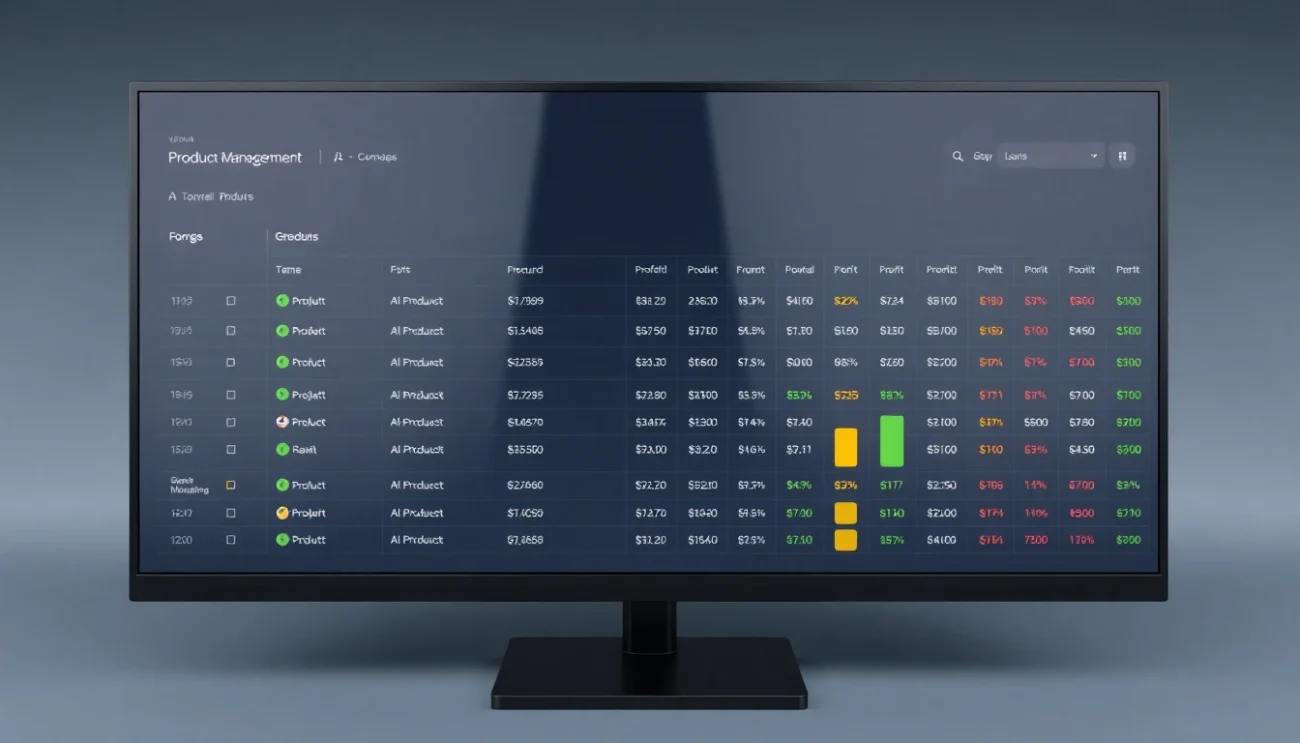
WootrackApp’s per-product profit dashboard makes this verification straightforward. You can see POAS by product, by campaign, and over time. More importantly, you can see the A/C/X label distribution shifting – more A products getting budget, X products getting suppressed. That movement is the proof that Google’s AI has recalibrated.
Give it a full 30-day cycle before drawing conclusions. Smart Bidding learns from conversion data, and it needs volume to make confident decisions. Accounts with fewer than 30-50 conversions per month may need to use a broader target or a manual CPC strategy while building up data history with profit values.
Frequently asked questions
Does sending profit as offline conversions break my existing Google Ads campaigns?
Not if you do it correctly. The key is to run your new profit-based conversion action in parallel with your existing revenue-based one for a few weeks. Use the profit action as ‘secondary’ initially, then promote it to primary once it has enough data. Your campaigns keep running normally throughout the transition.
What if my profit margins vary a lot between orders due to discounts or shipping zones?
That is actually fine – and it is exactly why order-level profit calculation matters more than product-level averages. WootrackApp calculates profit per individual order, accounting for the actual discount applied, the actual shipping cost charged, and the actual payment fee on that transaction. Google gets a different profit value for each conversion, which gives Smart Bidding a much richer signal than a flat average.
How long does it take for Google Ads to recalibrate after switching to profit-based bidding?
Typically 2-4 weeks for accounts with good conversion volume (50+ conversions per month). During this period you may see some volatility in spend and ROAS figures – that is normal. The AI is relearning which products, audiences, and placements deliver actual profit. After the learning period, you should see budget naturally shifting toward your high-POAS products.
Can I use this approach with Performance Max campaigns, not just Shopping?
Yes, and Performance Max actually benefits more from profit-based conversion values because its AI has more levers to pull – audience signals, placement types, creative formats. When you feed PMax profit values instead of revenue, it can optimize across all those dimensions toward profitability. WootrackApp supports both Shopping and Performance Max campaign types with the same offline conversion setup.
What POAS threshold should I target to know my campaigns are healthy?
100% POAS is break-even – you are recovering your ad spend in profit but not growing. Most WooCommerce stores should target a minimum of 120-130% POAS to cover overhead and generate net profit. If you can push above 150%, you are in strong scaling territory. The right target depends on your business model, but anything below 100% means your ads are actively destroying profit and need immediate attention.
Do I need a developer to set up offline conversion tracking for profit values?
With WootrackApp, no. The plugin handles the entire pipeline: connecting to your WooCommerce order data, calculating profit per order using your configured costs, and uploading the values to Google Ads via the offline conversions API. Setup takes under an hour for most stores, and there is no custom code required.