


Ensure Full GDPR Compliance with WooTrack — Seamlessly Handle User Consent and Enhanced Conversions
Complianz setup
Follow the steps below to add the script in Complianz.
- First, install the Complianz plugin: Click here
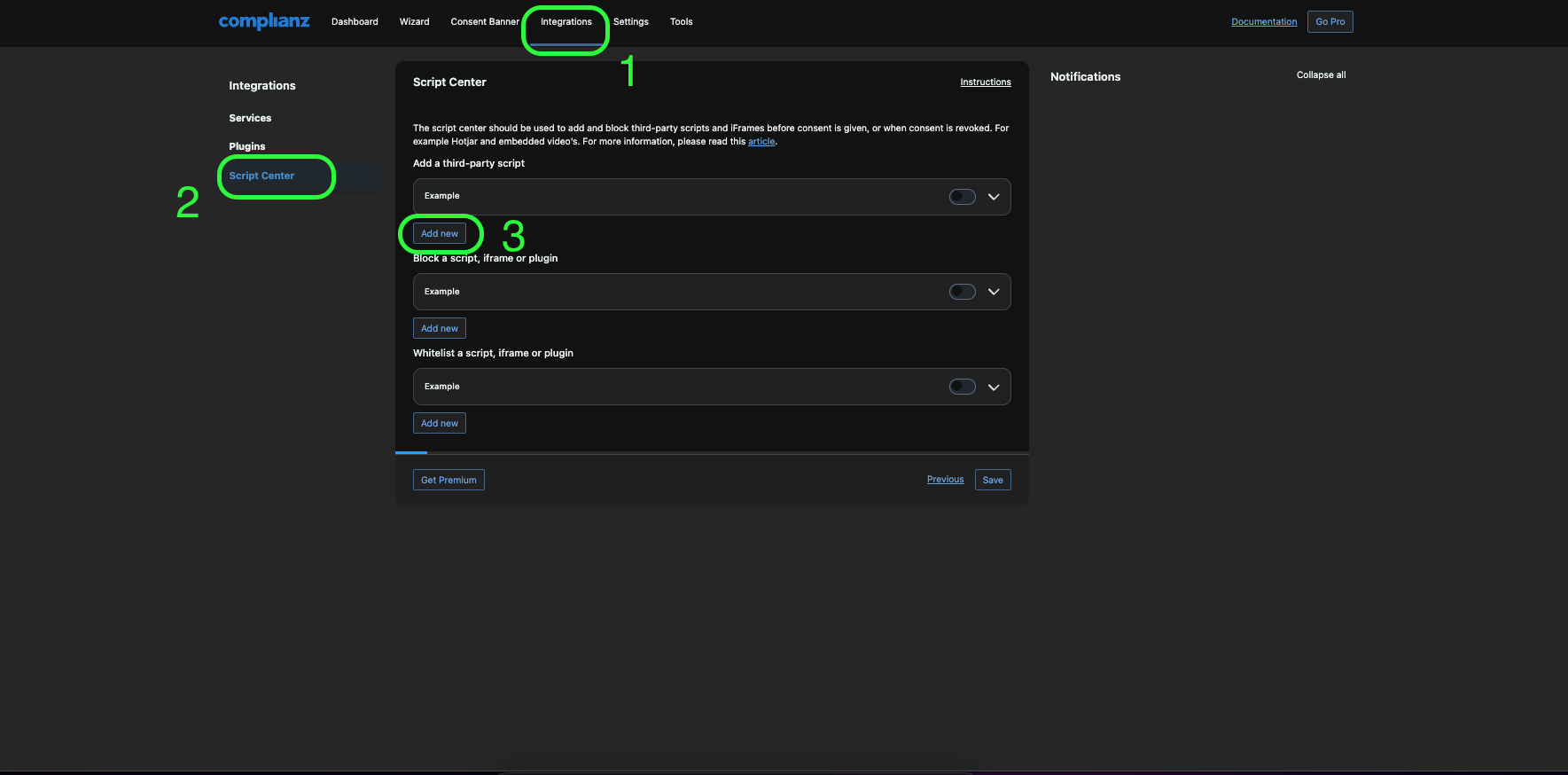
- In WordPress Dashboard → Complianz → Integrations → Script Center
- Click “Add new script”.
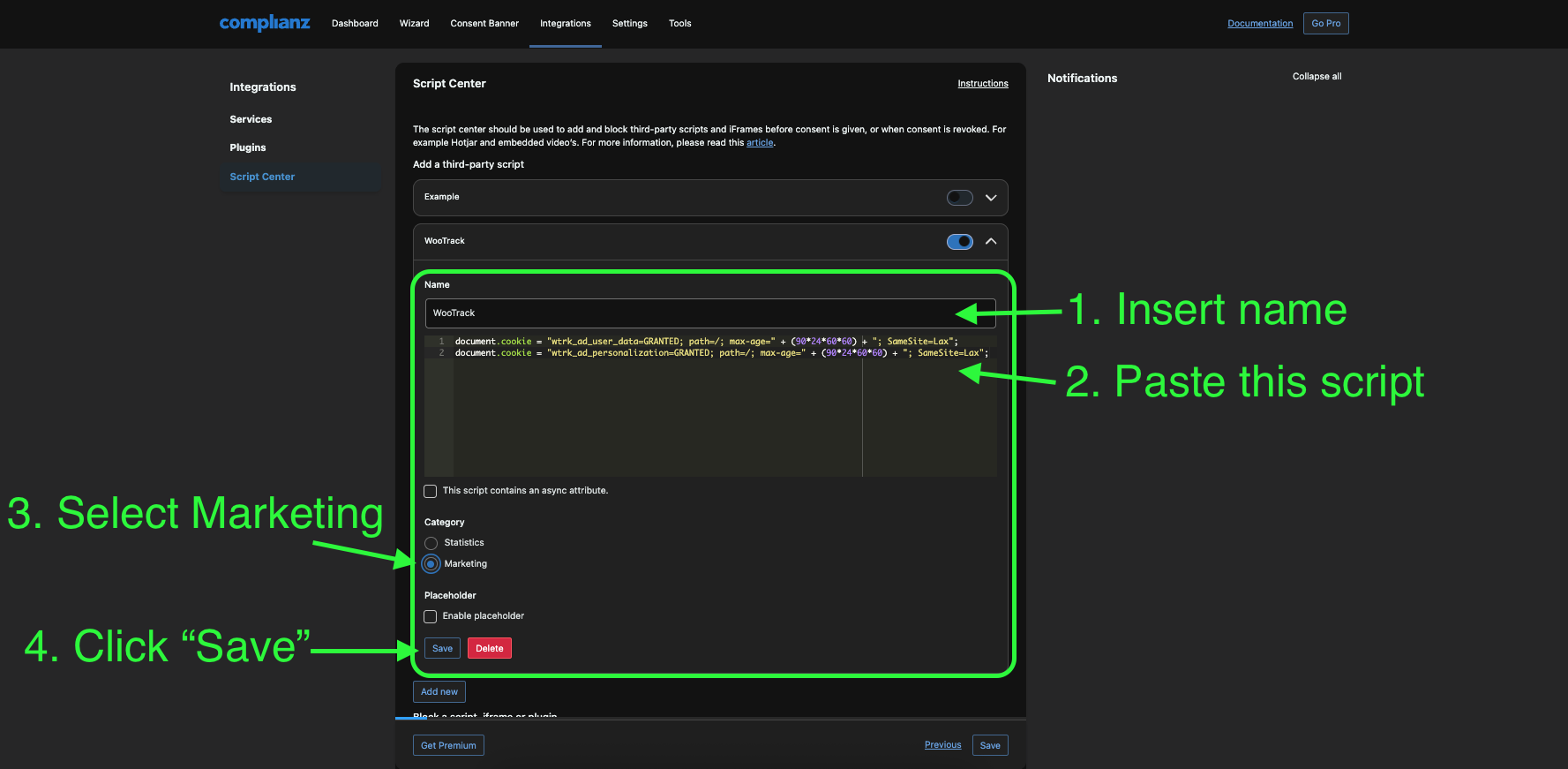
- Set a name.
-
Paste this code:
document.cookie = "wtrk_ad_user_data=GRANTED; path=/; max-age=" + (90*24*60*60) + "; SameSite=Lax"; document.cookie = "wtrk_ad_personalization=GRANTED; path=/; max-age=" + (90*24*60*60) + "; SameSite=Lax"; - Set “Category” to “Marketing”.
- Click the Save button.
We're all set now!